John’s going to get it
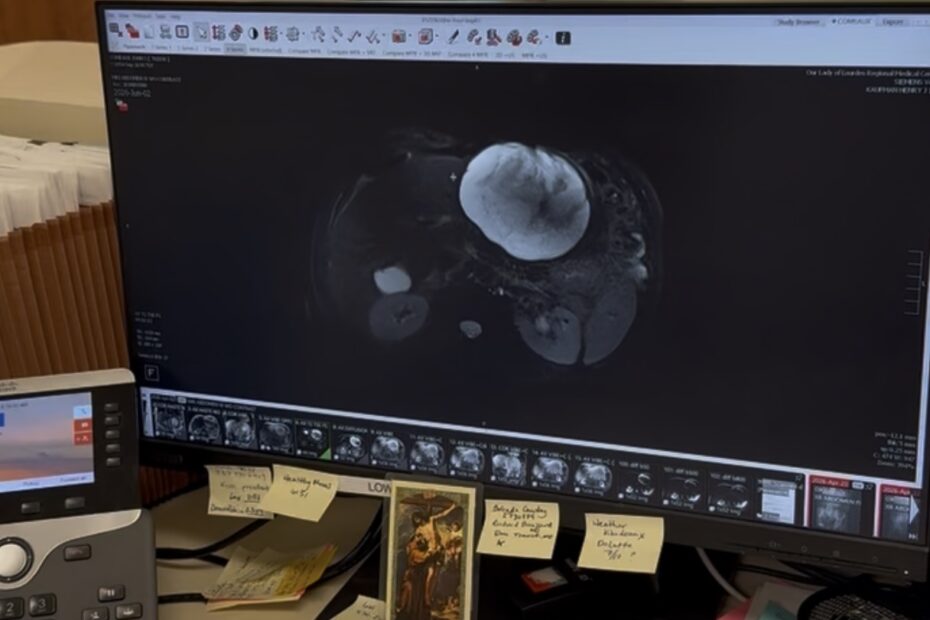
Family, here are images (and video if I can get it loaded) of the cyst on my liver. It has doubled in size since April, and is now 606 Cubic cm. The purple balloon was… John’s going to get it
Family, here are images (and video if I can get it loaded) of the cyst on my liver. It has doubled in size since April, and is now 606 Cubic cm. The purple balloon was… John’s going to get it
Highlights of 2024.
We wanted to give you so many photos from 2023 that we had to break the family newsletter Lafayette Lagniappe into 5 parts. You can enjoy all five, but you have to click on each… Something NEW! A huge 2023 Newsletter
I tested ChapGPT and BARD, and this document shows the results.
It’s here! Full Color. PDF format. 28 MB huge. Enjoy the news about us. CLICK HERE.
See how important this is…
What in the Comeaux world happened in 2021? Click HERE to view our yearly newsletter, Lafayette Lagniappe. Once again we combine, consolidate, abridge, compress, and regurgitate our entire year 2020 into a 4-page missive. It’s… The 2021 and 2020 Lafayette Lagniappe Newsletters – Please click to read and download.
I found this on the web.